The 2019 MacBook Pro 16-inch represented a significant upgrade for Apple, featuring a larger display, improved keyboard, and powerful Intel processors paired with AMD GPUs. However, like many premium laptops with densely packed components, its logic board—the central “brain” of the device—can develop issues over time.
Owners of this model frequently report unexpected failures, often centered on the 2019 MacBook Pro 16 in logic board (model A2141, board 820-01700). These problems can range from minor glitches to complete device failure. Understanding them helps users diagnose issues early and explore cost-effective repairs.
This comprehensive guide covers symptoms, causes, repair methods, prevention strategies, and more to empower you with practical knowledge.
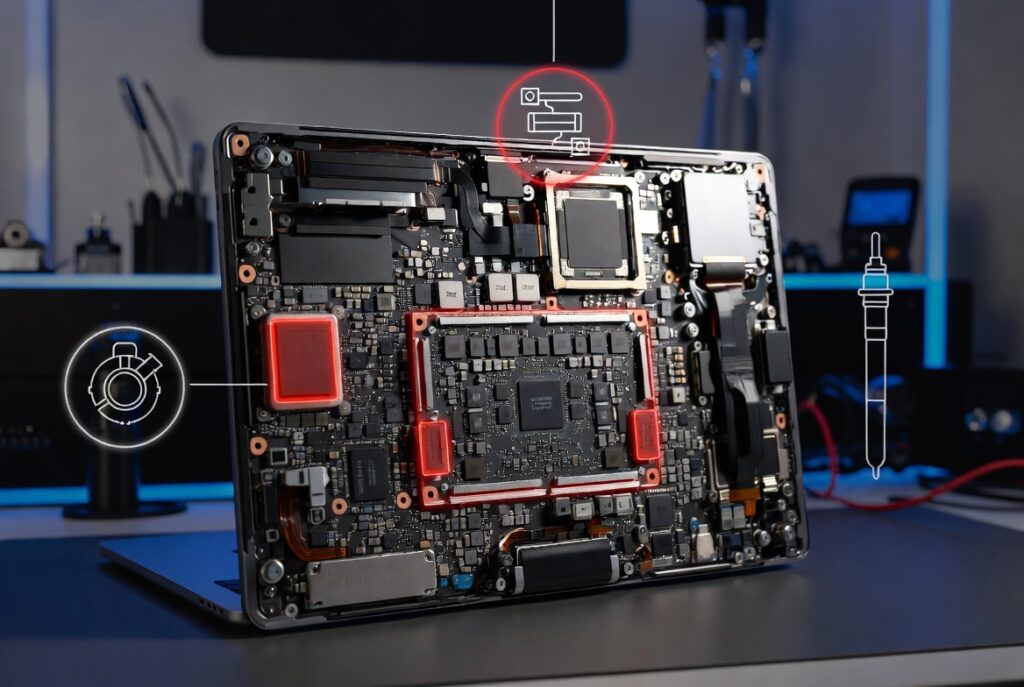
Understanding the Logic Board in the 2019 MacBook Pro 16-Inch
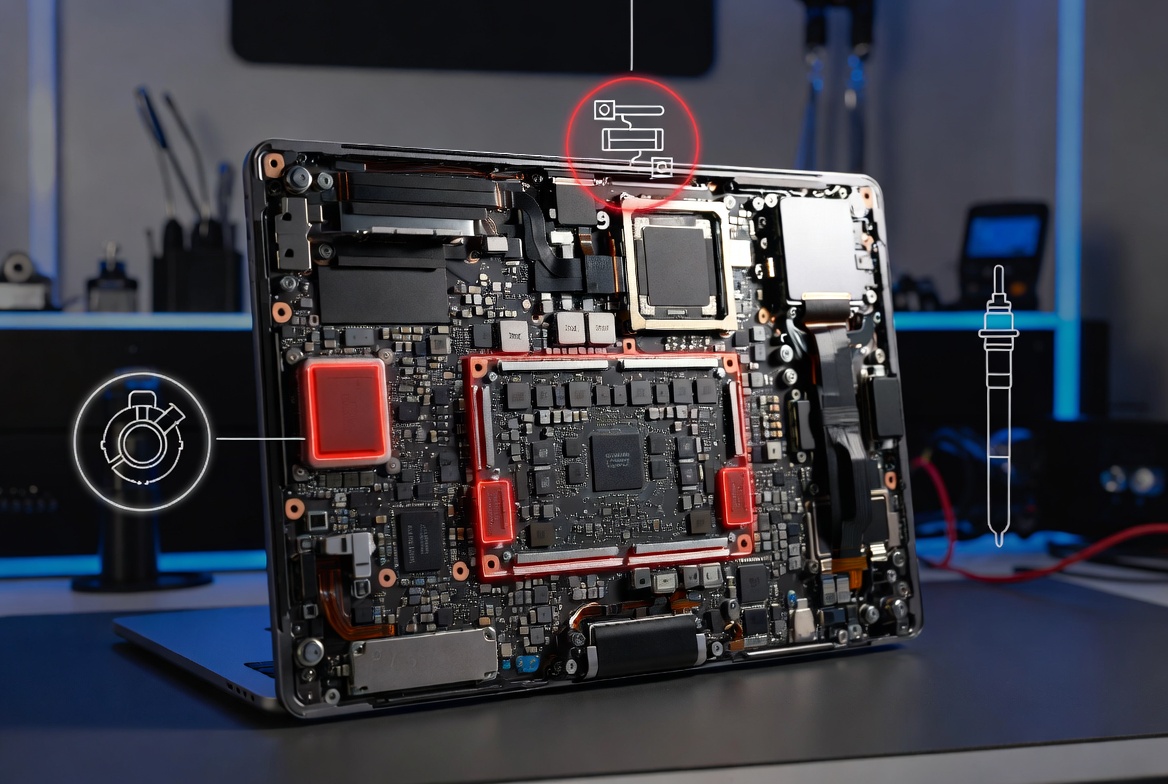
The logic board integrates the CPU, GPU, RAM (soldered), storage (NAND flash), power management circuits, and Thunderbolt controllers. Its compact design prioritizes performance and thinness but makes it vulnerable to heat, dust, power fluctuations, and component wear.
Key components prone to failure include:
- Power management ICs (PMICs)
- NAND power rails
- Voltage regulators and capacitors
- Thunderbolt/USB-C controllers
Because RAM and SSD are soldered, logic board issues often affect data access, making professional repairs critical for data recovery.
Most Common Logic Board Problems on the 2019 MacBook Pro 16-Inch
Several recurring issues affect the 2019 MacBook Pro 16 in logic board. Here are the primary ones reported by users and repair technicians:
1. No-Power or Won’t Turn On Failures
This is one of the most frequent complaints. The MacBook shows no signs of life—no fans, no chime, no charging indicators—or gets stuck at 5V instead of the proper 20V charging voltage.
Common Causes:
- Failed power management chips (e.g., CD3217 series for USB-C charging)
- Shorts on critical power rails like PP3V3_RTC or G3H
- NAND power line issues with corrosion under components
Real-World Scenario: A user leaves their laptop on overnight and finds it dead in the morning. Diagnostics reveal a short that prevents proper power delivery.
2. NAND-Related Power Rail Shorts and Corrosion
Even without visible liquid damage, corrosion can appear under components near the NAND area due to environmental humidity, manufacturing residues, or dust accumulation combined with heat cycles.
This leads to shorts that can destroy data if the board powers on incorrectly during troubleshooting.
3. Random Shutdowns, Kernel Panics, and Overheating
The laptop runs hot, fans spin loudly, or it shuts down unexpectedly during demanding tasks like video editing.
Contributing Factors:
- Dried thermal paste
- Dust-clogged vents (intakes positioned near sensitive regulators)
- Failing voltage regulators stressing the board
4. Charging and Battery Issues
- Stuck at 5V charging
- Battery not recognized
- Intermittent charging across USB-C ports
These often trace back to Thunderbolt controller or PMIC failures.
5. Display, Graphics, or Peripheral Problems
- Black screen with external monitor working
- Graphics glitches (AMD GPU issues)
- Unresponsive keyboard/trackpad (related to board connections)
Symptoms Checklist: Is Your 2019 MacBook Pro 16 in Logic Board Failing?
Use this quick diagnostic list:
- No response to power button or SMC reset
- Charger shows green/orange light but no boot
- Clicking, popping, or unusual noises before failure
- Intermittent power or random restarts
- Overheating even on light tasks
- Loss of Thunderbolt functionality
- “Folder with question mark” or boot loops
If multiple symptoms match, consult a specialist promptly to avoid further damage.
How to Diagnose 2019 MacBook Pro 16-Inch Logic Board Issues
Beginner Steps:
- Perform SMC and NVRAM resets.
- Try different chargers and ports.
- Boot into Apple Diagnostics (hold D key).
- Check for visible damage after removing the bottom case (dust, corrosion, swollen components).
Advanced Diagnosis (Professionals):
- Use a multimeter to check power rails for shorts to ground.
- Thermal camera for hot spots.
- Microscopic inspection for corrosion.
Avoid powering on a suspected faulty board repeatedly, as it can worsen NAND damage.
Repair Options for 2019 MacBook Pro 16 in Logic Board Problems
Component-Level Repair vs. Full Replacement
Component-Level Repair (Recommended for Cost Savings): Skilled technicians replace individual capacitors, ICs, or reflow solder joints. This preserves your original NAND/SSD for data recovery. Costs typically range from $200–$600 depending on complexity.
Full Logic Board Replacement: Apple or authorized providers swap the entire board. This is expensive ($800–$1,500+) and may require Touch ID pairing. Data migration is necessary unless backed up.
Pros and Cons Comparison:
| Option | Cost Range | Data Recovery | Turnaround Time | Warranty |
|---|---|---|---|---|
| Component Repair | $200–$700 | High | 1–5 days | 3–6 months |
| Full Replacement (Apple) | $800–$1,500+ | Low (backup needed) | 3–7 days | 90 days |
| Used Board Swap | $300–$600 | Medium | 1–3 days | Varies |
DIY Considerations
While iFixit provides excellent guides for disassembly, logic board repairs require specialized tools (hot air stations, micro-soldering skills) and carry high risk of further damage. Beginners should avoid this.
Expert Tip: Always disconnect the battery before any internal work to prevent shorts.
Prevention and Maintenance Tips
- Keep vents clean; use compressed air regularly.
- Avoid extreme temperatures and humidity.
- Use high-quality Apple or MFi-certified chargers.
- Apply fresh thermal paste during deep cleans (every 2–3 years).
- Monitor temperatures with apps like iStat Menus.
- Back up data religiously via Time Machine or iCloud.
For users running intensive workloads, consider undervolting tools or external cooling solutions.
When to Repair vs. Upgrade or Replace the Device
Repair If:
- Your Mac is still under AppleCare or you need specific data.
- It’s a high-spec configuration (e.g., 32GB+ RAM, 1TB+ SSD).
- Component repair is available locally.
Consider Upgrading If:
- Repair costs exceed 50–60% of a comparable used/refurbished model’s value.
- You’re experiencing multiple failures.
The 2019 model remains capable for many tasks in 2026, especially with macOS updates, but newer Apple Silicon Macs offer better efficiency.
Expert Advice and Real-User Experiences
Many owners on forums report sudden failures around the 2–4 year mark, often linked to power delivery design. Independent repair shops frequently succeed where official channels recommend full replacement.
Actionable Advice:
- Get a professional diagnostic (many shops charge $50–$100, deductible from repair).
- Request photos of the board damage.
- Ask about data recovery guarantees.
For more technical repair insights, check detailed resources on iFixit for 2019 MacBook Pro teardowns and guides.
Community discussions, such as those on Reddit, also provide valuable owner perspectives on long-term reliability.
Additional Considerations: Data Recovery and Future-Proofing
Since storage is soldered, logic board failure can trap your data. Reputable shops prioritize safe repair techniques, such as avoiding power-on until shorts are cleared.
To future-proof:
- Maintain external backups.
- Consider extended warranties or repair insurance for high-value machines.
- Explore setups like a mobile triple screen setup simracing for productivity when using external displays with your repaired MacBook.
Conclusion
The 2019 MacBook Pro 16 in logic board is powerful but susceptible to issues like no-power failures, NAND shorts, and power management problems due to its dense design and thermal stresses. Early diagnosis and choosing experienced component-level repair can save significant money while restoring functionality.
Key takeaways:
- Don’t ignore early warning signs like overheating or charging quirks.
- Prioritize data backups.
- Seek independent specialists for affordable, precise fixes over blanket replacements.
- Regular maintenance extends the life of this capable machine.
If your 2019 MacBook Pro 16-inch is showing symptoms, act quickly. With the right approach, many units can continue providing years of reliable service. Consult a trusted technician for a personalized assessment and keep your workflow uninterrupted.
This guide equips you to handle 2019 MacBook Pro 16 in logic board challenges confidently, whether repairing, maintaining, or deciding on next steps. Stay informed and make choices that best fit your needs and budget.
Related posts:
![Display Backlight Service Program]()
How to Check If Your Device Qualifies for the Display Backlight Service Program?
![MacBook Pro Screen Heat Damage ifixit.org.uk]()
What Is Everything You Need to Know About MacBook Pro Screen Heat Damage?
![How to Find Reliable Computer Repair]()
How to Find Reliable Computer Repair: A Comprehensive Guide to Troubleshooting and Professional Supp...
![How to Fix an HP Notebook Computer Battery That Is Not Charging]()
How to Fix an HP Notebook Computer Battery That Is Not Charging?
![How to Fix Overheating Issues on HP Omen and Victus Gaming Laptops]()
How to Fix Overheating Issues on HP Omen and Victus Gaming Laptops?
![How to Fix Screen Problems on a MacBook Pro]()
How to Fix Screen Problems on a MacBook Pro and Restore Normal Display Performance
![How to Fix MacBook Pro Screen Burn Marks and Restore Display Quality?]()
How to Fix MacBook Pro Screen Burn Marks and Restore Display Quality?
![Microsoft Surface Laptop 3 Screen Crack: ifixit.org.uk]()
Microsoft Surface Laptop 3 Screen Crack: Comprehensive Guide to Causes, Repair Options, and Preventi...