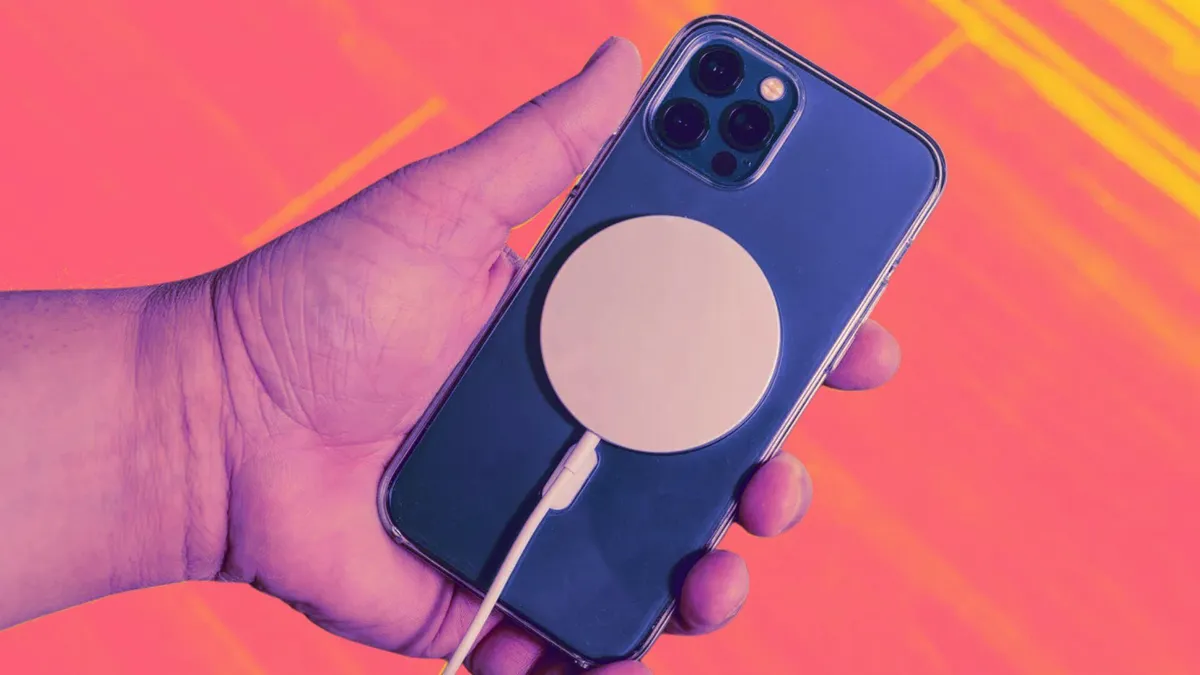
Staying connected means keeping our Apple devices powered and ready. Enter MagSafe, Apple’s innovative magnetic technology that has transformed how we charge and accessorize iPhones and other devices. Whether you’re a long-time Apple user or new to the ecosystem, understanding MagSafe can significantly enhance your experience with seamless charging and versatile accessories.
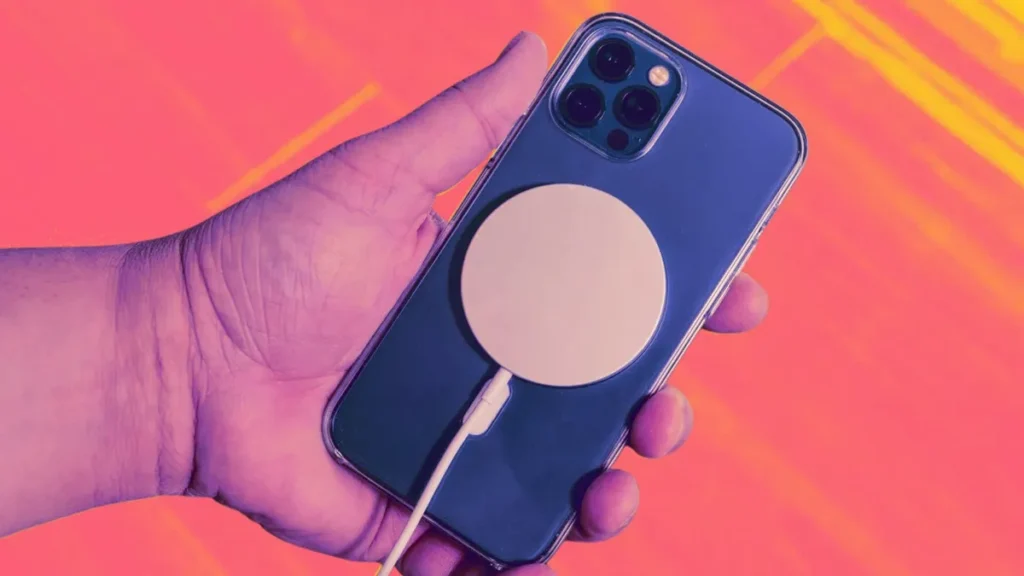
This in-depth guide explores the fundamentals of MagSafe, its evolution, practical applications, and why it stands out in wireless charging. By the end, you’ll have actionable insights to optimize your setup and decide if MagSafe fits your lifestyle.
The Origins and Evolution of MagSafe Technology
MagSafe wasn’t born with the iPhone. Apple first introduced the name in 2006 with MacBook laptops. The magnetic connector allowed the power cord to snap into place securely while providing a safety feature: if someone tripped over the cable, it would disconnect gently without damaging the laptop or causing a spill.
This “magnetic safety” concept laid the groundwork for modern MagSafe. After years of development, Apple revived and reimagined the technology in 2020 alongside the iPhone 12 series. Instead of a connector, it became a ring of magnets on the back of the device, enabling both faster wireless charging and a modular accessory ecosystem.
Subsequent iPhone models—from the iPhone 13 to the latest iPhone 16 and 17 series—have refined MagSafe. Updates include higher power delivery (up to 25W on newer models) and broader compatibility with standards like Qi2. This evolution turned a simple charging solution into a platform for creativity and convenience.
For context on repair and maintenance of Apple devices with magnetic components, check out resources from experts like those at ifixit.org.uk for detailed guides.
How Does MagSafe Work? A Beginner’s Breakdown
At its core, MagSafe combines wireless induction charging with precise magnetic alignment. Inside compatible iPhones is a ring of powerful magnets surrounding the wireless charging coil. Matching magnets in chargers and accessories snap them into perfect alignment.
This alignment is crucial. Traditional wireless charging relies on manually positioning the device over a coil, which can lead to inefficiency or failed charges. MagSafe eliminates guesswork—the magnets guide and hold everything in place securely.
Key technical elements include:
- Rare-earth magnets: Provide strong but removable attachment.
- NFC integration: Allows the iPhone to identify accessories and optimize charging.
- Magnetometer: Prevents interference with the device’s compass.
The result? Faster, more reliable power transfer without the hassle of cables for everyday use.
MagSafe Charging: Speeds, Compatibility, and Real-World Performance
MagSafe significantly improves charging compared to standard methods. Apple’s official MagSafe Charger delivers up to 15W on earlier models and up to 25W on iPhone 16 and later with compatible adapters (recommend 30W+ USB-C).
Charging Speeds in Practice
- iPhone 12/13 series: Up to 15W (12W on minis).
- iPhone 14/15: Up to 15W or more with optimizations.
- iPhone 16+: Peak 25W wireless charging.
In real-world scenarios, a full charge on an iPhone 16 Pro might take around 1.5–2 hours with MagSafe, depending on usage and temperature. It’s slower than wired Lightning or USB-C charging (which can hit 27W+), but the convenience shines during bedtime, desk work, or travel.
MagSafe works through most cases if they’re MagSafe-compatible (thinner, with built-in magnets). Non-compatible thick cases may reduce efficiency.
For more on device maintenance, explore repair insights at ifixit.org.uk.
Compatible Apple Devices and Ecosystem Integration
MagSafe primarily shines with:
- iPhone 12 and all subsequent models (excluding some SE variants).
- AirPods (with MagSafe charging cases).
- Apple Watch (via specific Duo chargers).
It integrates beautifully within the Apple ecosystem. The MagSafe Duo, for example, charges an iPhone and Apple Watch simultaneously. Newer setups support multi-device charging stations from third parties.
Note that Apple Watch uses a proprietary magnetic charger and doesn’t directly support standard MagSafe pucks.
Top MagSafe Accessories That Transform Your Workflow
One of MagSafe‘s greatest strengths is the accessory ecosystem. Here are standout categories:
Wallets and Card Holders
Snap-on wallets hold 2–3 cards securely and often double as stands. Popular options include Apple’s leather or silicone versions and third-party alternatives with tracking (e.g., Find My integration).
Stands and Mounts
- Desktop stands for hands-free video calls or viewing.
- Car mounts that attach magnetically to vents or dashboards.
- Portable tripods perfect for content creation or video calls on the go.
Chargers and Power Banks
Portable MagSafe batteries provide on-the-move top-ups. 3-in-1 stations charge iPhone, Watch, and AirPods together.
Cases and Grips
MagSafe cases from Apple and brands like OtterBox or Spigen offer protection without sacrificing magnetic functionality.
Creative Tools
Grips for better photography, lights for content creators, and even gaming controllers.
For users interested in custom setups or modifications, resources like ifixit.org.uk offer valuable guidance on handling device components safely.
Benefits of MagSafe: Convenience Meets Performance
MagSafe delivers several clear advantages:
- Perfect alignment every time: No more repositioning.
- Faster wireless speeds: Up to double that of standard Qi.
- Secure attachment: Great for car mounts or active use.
- Modularity: Swap accessories instantly.
- Ecosystem synergy: Seamless with other Apple products.
In scenarios like cooking while following a recipe on your phone or navigating in a car, the magnetic hold prevents slips. Parents appreciate quick attachment for video calls, and professionals love desk stands that keep devices upright and charged.
Potential Drawbacks and Considerations
While powerful, MagSafe isn’t perfect:
- Higher cost: Official accessories and chargers are premium-priced.
- Compatibility limits: Best with newer iPhones; older models or non-Apple devices have limited support.
- Heat generation: Wireless charging inherently produces some warmth, managed by Apple’s optimizations.
- Bulk: Some power banks or cases add noticeable thickness.
Compared to wired charging, it’s generally slower for heavy users needing rapid top-ups. Alignment still matters if using very thick non-MagSafe cases.
MagSafe vs. Qi and Qi2 Wireless Charging: A Detailed Comparison
Understanding the differences helps in choosing the right solution.
| Feature | MagSafe | Standard Qi | Qi2 |
|---|---|---|---|
| Alignment | Magnetic snap | Manual | Magnetic |
| Max Speed (iPhone) | Up to 25W | 7.5W | Up to 15W+ |
| Compatibility | Apple-focused | Broad | Cross-platform |
| Accessories | Rich ecosystem | Basic | Growing |
| Price | Premium | Affordable | Mid-range |
MagSafe excels in the Apple world due to optimization and speed. Qi2 brings magnetic benefits to more devices, potentially expanding options in the future.
For broader tech insights, see Wikipedia’s MagSafe entry or reviews on Forbes and Wired.
Expert Tips for Getting the Most Out of MagSafe
- Use recommended adapters: Pair with 30W+ USB-C for maximum speeds.
- Remove thick cases for optimal charging if needed.
- Keep it cool: Avoid direct sunlight or insulated surfaces during charging.
- Mix and match: Combine official and certified third-party accessories.
- Test alignment: The satisfying “click” confirms proper connection.
- Update iOS: Software improvements often enhance charging efficiency.
For car enthusiasts building advanced setups like a mobile triple screen setup simracing, MagSafe mounts can provide stable phone integration.
Experiment in daily routines—try a bedside charger or kitchen stand to experience the difference.
Common Myths About MagSafe Debunked
- Myth: MagSafe is completely wireless. Reality: The charger still has a cable to the power source.
- Myth: It damages your battery. Reality: Apple’s intelligent management prevents overcharging.
- Myth: All magnetic chargers are true MagSafe. Reality: Certification matters for full speeds.
The Future of MagSafe and Apple Accessories
With iPhone 16/17 advancements and Qi2 adoption, MagSafe continues evolving. Expect thinner designs, higher efficiencies, and more cross-compatible accessories. Apple may expand it further into MacBooks or other products.
Third-party innovation, such as advanced tripods or multi-device solutions, will likely accelerate.
Conclusion: Is MagSafe Worth It for Your Apple Devices?
MagSafe represents a thoughtful leap in how we interact with our devices—blending reliable magnetic attachment with faster charging and endless accessory possibilities. From effortless bedside charging to secure car mounts and creative stands, it simplifies daily tech use while opening new ways to personalize your setup.
Weigh the benefits against your needs: frequent travelers and accessory enthusiasts will love the convenience, while heavy wired chargers might stick to cables for speed. Start small with a charger and case to experience the “snap” firsthand.
Actionable Takeaways:
- Invest in certified accessories for best performance.
- Pair with quality power adapters.
- Explore the ecosystem to match your lifestyle—whether productivity, photography, or on-the-go power.
- Stay updated on iOS and hardware for ongoing improvements.
By embracing MagSafe, you’re not just charging your device—you’re enhancing how you use it every day. Ready to upgrade? Your iPhone (and workflow) will thank you. For device care tips, visit trusted sources like ifixit.org.uk.
Additional External References:
- Apple Support on MagSafe
- Wired’s Best Accessories Guide
- Community discussions on Reddit for user experiences.
Related posts:
![Apple iPhone 17e Unlocked by RedPocket Mobile]()
Apple iPhone 17e Unlocked by RedPocket Mobile: Best Budget Deal in 2026?
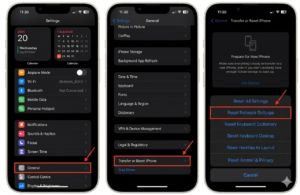
![How to Reset Network Settings on iPhone: Ifixit]()
How to Reset Network Settings on iPhone: The Complete 2025 Troubleshooting Guide
![How Can You Find a Reliable Phone Repair Service Near You]()
How Can You Find a Reliable Phone Repair Service Near You?
![How to Fix Android Phone Not Charging Properly ifixit.org.uk]()
How to Fix Android Phone Not Charging Properly: 2026 Troubleshooting Guide
![How to Fix iPhone Stuck on Apple Logo Screen?]()
How to Fix iPhone Stuck on Apple Logo Screen?
![Can You Fix a Broken Screen Without Replacing the Entire Device?]()
How Can You Fix a Broken Screen Without Replacing the Entire Device?
![ifixit.org.uk]()
How to Fix Horizontal Lines on Android Phone: Ultimate Troubleshooting and Repair Guide
![how to unhide apps on iphone]()
How to Unhide Apps on iPhone: A Complete, Step-by-Step Guide