A cracked smartphone screen is often the moment your heart sinks. One second you’re confidently handling your Samsung Galaxy or iPhone, and the next, a spiderweb of cracks appears across the display. The immediate thought for most is: Screen Replacement. It sounds like a simple, manageable task, but the reality is far more complex.
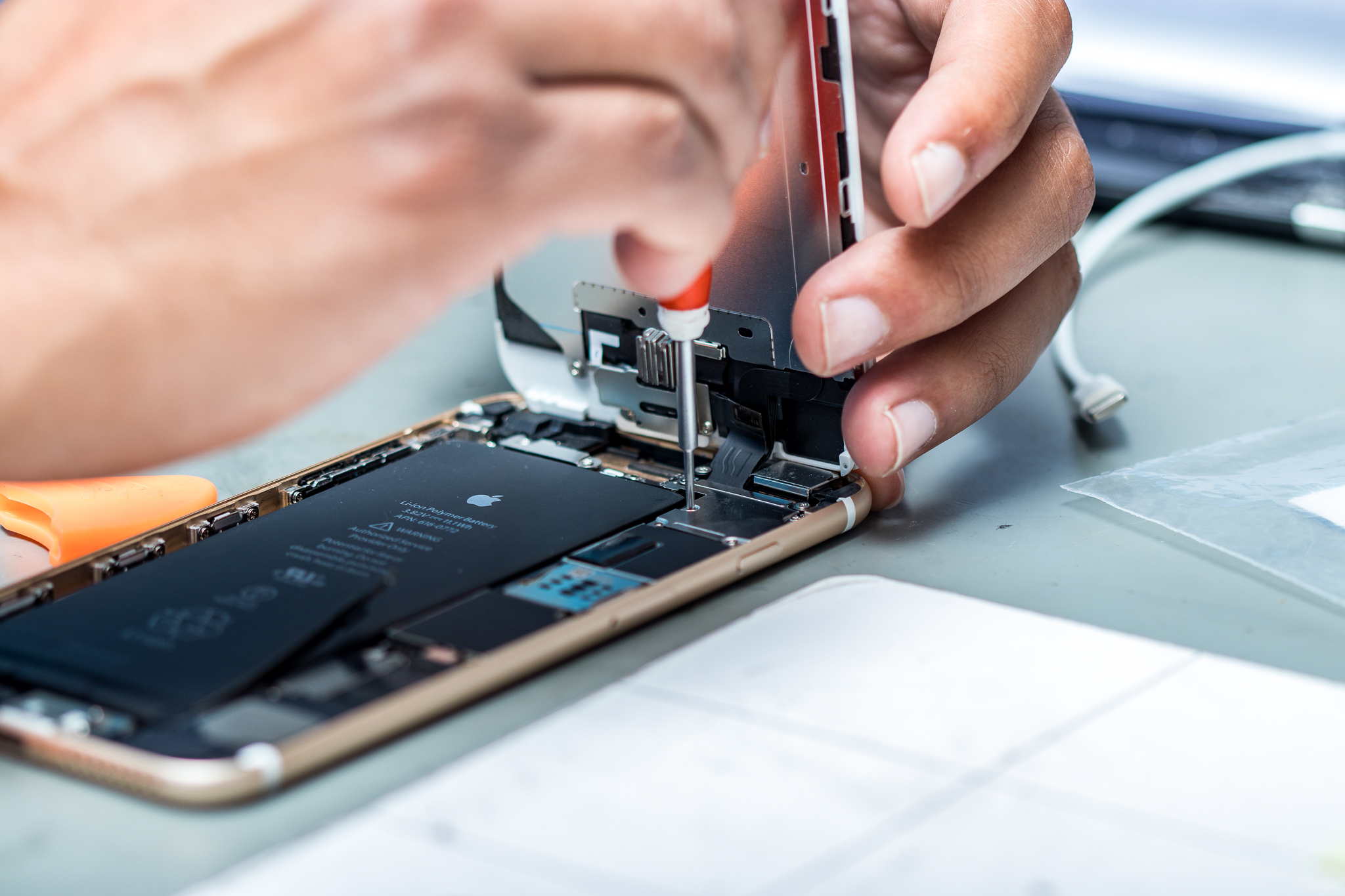
Between the two leading smartphone ecosystems—Apple’s iPhone and Samsung’s Galaxy series—there are significant differences in repair difficulty, cost, and potential pitfalls. This guide covers both platforms in-depth, helping you avoid costly errors that can permanently disable key features. Whether you are a DIY enthusiast or choosing a repair shop, understanding these seven common mistakes is essential before proceeding with any Screen Replacement.
Mistake #1: Rushing Into a DIY Screen Replacement Without Understanding the Risks
The proliferation of online repair kits and video tutorials has given many false confidence when it comes to phone repairs. It’s easy to watch a five-minute video and assume you can fix your device in your kitchen. However, underestimating the complexity of modern flagship phones is the single most common error.
Modern iPhones and Samsung Galaxy devices are not just screens; they are intricate assemblies containing the display panel, touch digitizer, proximity sensors, ambient light sensors, and earpiece speakers all crammed into a chassis thinner than a pencil. Rushing into a DIY repair without understanding these layers can turn a $200 fix into a $600 catastrophe. The “quick fix” mentality often leads to irreversible damage to internal ribbons, the logic board, or the fragile OLED panel.
Expert Tip: If you are determined to attempt a DIY fix, set aside at least 2–3 hours of uninterrupted time in a clean, well-lit space. If you have never soldered or repaired electronics before, it is generally safer to hire a professional, especially for high-end devices where margins for error are razor-thin.
Mistake #2: Failing to Disconnect the Battery Properly Before Touching the Display
This is arguably the most dangerous electrical mistake you can make during a Screen Replacement. According to former phone technician Doug McDonald, “most people don’t disconnect the battery before replacing a display, which can fry the new panel or backlight upon connection”. When a phone’s battery remains connected, the internal circuits remain live. Connecting a new display ribbon cable to a live logic board can cause a sudden power surge that destroys the backlight fuse or damages the delicate display driver.
Furthermore, there is a fire safety risk. Working on a charged lithium-ion battery with metal tools can cause a short circuit, leading to swelling, sparks, or even a battery fire. A disconnected battery is a safe battery.
Actionable Advice:
-
Always discharge the phone below 25% before starting a DIY repair. This reduces the energy available for a dangerous spark if something goes wrong.
-
Disconnect the battery flex cable as the very first step after opening the device.
-
Use plastic or nylon pry tools (spudgers) to disconnect battery cables, avoiding metal tools that could bridge contacts on the board.
Mistake #3: Using the Wrong Tools or Home-Improvised Equipment
You cannot fix an iPhone or Samsung Galaxy with a kitchen knife or a standard household screwdriver set. Yet, people attempt this every day. Using abrasive, thick tools or magnetic screwdrivers is a guaranteed way to create new problems.
Apple and Samsung use extremely tiny, proprietary screws (Pentalobe for iPhones, specific Phillips and Torx variations for Samsung). Using a standard Phillips head will strip the screw head instantly, making it impossible to remove later. Moreover, using demagnetized tools is critical, as magnets can interfere with the internal sensors and the speaker components inside modern phones.
The Right Toolbox for a Screen Replacement:
-
Pentalobe screwdriver (for iPhones)
-
Tri-point Y000 screwdriver (for internal iPhone components)
-
Precision Phillips #0000 (for Samsung phones)
-
Suction cup and plastic opening picks
-
ESD-safe tweezers (to prevent static discharge)
-
Isopropyl alcohol (90%+) for softening adhesive
-
Heat gun or iOpener (not a hair dryer, which can overheat components)
-
Magnetic project mat (to organize screws by length—crucial, as misplacing a single screw can destroy the logic board)
Samsung specifically warns that tools used for repairs must be demagnetized to avoid damaging sensitive electronic parts. Investing in a $30 repair kit is always cheaper than replacing a $1,000 phone. Many professional repair shops like uBreakiFix use specialized diagnostic tools and anti-static equipment to ensure every repair meets factory standards.
Mistake #4: Using Low-Quality, Counterfeit, or Incompatible Aftermarket Screens
The price difference between a genuine OEM screen and a cheap aftermarket alternative can be tempting. A non-genuine display for an older iPhone or a Samsung Galaxy A-series might cost half the price of a factory original. However, this cost-saving almost always leads to buyer’s remorse.
Low-quality screens suffer from a litany of issues:
-
Poor color accuracy: whites look yellow, blues appear purplish, and colors are generally washed out.
-
Dull or uneven brightness: the screen may be impossible to read outdoors or flicker constantly.
-
Reduced touch sensitivity: missed keystrokes, ghost touches (the screen registering input where you didn’t touch), or laggy scrolling.
-
Incorrect fitment: the screen may sit proud of the frame, leaving gaps that collect dust and allow moisture ingress.
-
Battery drain: lower-quality OLED clones often use inefficient power management, killing your battery faster.
For Samsung Galaxy devices, the situation is particularly tricky. Samsung uses proprietary Dynamic AMOLED panels with HDR10+ and 120Hz refresh rates. Aftermarket AMOLED panels vary wildly in quality. Meanwhile, Apple uses parts pairing—a system that ties the screen’s serial number to the logic board. Installing a cheap, unpaired screen on an iPhone will trigger a “Parts Not Genuine” warning, and some functionalities may be permanently broken.
Quality Recommendation: When purchasing a Screen Replacement, look for sellers offering “OEM Grade A” or “Service Pack” displays. These are either original parts taken from refurbished devices or factory-new surplus, offering near-identical performance to what left the factory. For iPhones, always try to use genuine Apple parts or high-quality aftermarket parts that have been tested for signal interference and touch responsiveness. For Samsung, look for replacement parts that are explicitly certified for your specific model number (e.g., SM-S918B for S23 Ultra).
Mistake #5: Ignoring the Consequences of Water Resistance Loss
Your phone’s IP67 or IP68 rating (dust and water resistance) is not permanent. That rating is achieved through industrial-grade adhesives and precision sealing at the factory. Once you open the phone for a Screen Replacement, you inevitably break that factory seal.
If you take your phone to an unauthorized repair shop that doesn’t properly reseal it, or if you do a DIY repair without a new adhesive gasket, your phone will lose virtually all of its water resistance. A splash from a sink or a sudden rain shower could permanently kill the device, even if the new screen works perfectly.
Many Samsung service centers perform pressure testing after a repair to verify that the IP68 seal has been restored. Third-party shops rarely have this equipment.
Preventative Measure: If you rely on water resistance for your active lifestyle, you have two good options. First, use a repair service authorized by the manufacturer—Apple’s Independent Repair Provider program or Samsung’s Authorized Service Centers—as these are contractually required to restore the device’s ingress protection using genuine adhesive presses and sealants. Second, if you go third-party, explicitly ask if a new OEM-grade adhesive will be used and if the shop offers any warranty against water damage after the Screen Replacement. Any shop that says “water resistance is never guaranteed” is at least being honest, but you should then treat your repaired phone as water-sensitive and keep it away from liquids.
Mistake #6: Damaging Critical Security and Biometric Hardware
Biometric security systems—Face ID on iPhones and Samsung’s Knox security platform or ultrasonic fingerprint scanners—are exceptionally fragile. During a screen swap, one slip of a spudger or a misplaced screw can permanently disable them.
iPhone Face ID Vulnerability
Face ID relies on the TrueDepth camera system, which sits in the notch or Dynamic Island. The dot projector and infrared camera are physically attached to the old screen in many models. If a technician fails to carefully transfer these components to the new display, or if the ribbon cable tears, Face ID will never work again. Worse, Apple’s parts pairing system sometimes requires proprietary software to pair a new screen to the logic board; without this, True Tone (color temperature adjustment) and auto-brightness can stop functioning even if the screen is high-quality.
Samsung Knox Vulnerability
Samsung’s Knox is a hardware-level security platform. If a non-original screen causes a system integrity check to fail, the Knox counter may trip. This permanently flags the device as “non-genuine” in Samsung’s security ecosystem, disabling Samsung Pay, Secure Folder, and other enterprise features, while also reducing resale value. Similarly, the under-display ultrasonic fingerprint scanner can fail if the glue used to mount the new screen creates microscopic air gaps or is too thick, preventing the scanner from reading your print.
Preservation Tactics:
-
Before any repair, ask the technician explicitly: “Will Face ID / Knox features / my fingerprint scanner continue to work after the repair?”
-
For iPhone, confirm that the repair shop has the capability to run Repair Assistant (introduced in iOS 18) or has the programming tools to transfer the original screen’s EEPROM data to the new panel. This is essential for restoring True Tone and maintaining full pairing.
-
For Samsung, choose a repairer who uses genuine Samsung parts and understands that the Knox integrity check must remain untriggered.
Mistake #7: Not Checking the Warranty, Costs, and Resale Value Implications
Many people compare the upfront cost of a Screen Replacement against the $29 screen repair offered by Samsung Care+ or Apple’s deductible. They see a $120 third-party fix and think they are saving money. However, they fail to account for the hidden costs—voided manufacturer warranties, lost resale value, and lack of future service support.
Warranty Voiding
Both Apple and Samsung’s standard limited warranties do not cover accidental screen damage. However, if you have AppleCare+ or Samsung Care+, you are paying for a service that provides genuine parts at a low deductible. If you get an unauthorized repair, you immediately void your eligibility for future AppleCare+ or Samsung Care+ repairs. Similarly, any future manufacturer defect claim (e.g., a battery swelling or camera failure) could be denied if the service center finds evidence of third-party tampering.
Cost Comparison by Model
Depending on your specific device model, the cost difference between genuine and third-party repairs can vary significantly. Here is a real-world comparison of typical repair costs:
| Device Model | Typical Repair Cost (Third-Party / Non-Genuine) | Authorized / Genuine Repair Cost |
|---|---|---|
| iPhone 13 / 14 | $200 – $350 | $279 – $399 (Apple) |
| iPhone 16 Pro Max | ~$329 (high-quality aftermarket) | $379 – $499 (Apple) |
| Samsung Galaxy S21+ | ~$210 (non-genuine) | ~$310 (genuine) |
| Samsung Galaxy S25 Ultra | ~$150 (aftermarket) | ~$140 (Samsung authorized) |
As the data show, for many Samsung models (like the S25 Ultra), the genuine repair can actually be cheaper or competitive with third-party quotes, especially if done through Samsung’s self-repair program or promotional pricing.
Resale Value Impact
An iPhone with a message saying “Parts Not Genuine” in Settings or a Samsung Galaxy with a tripped Knox counter loses 30–50% of its resale value on platforms like Swappa or eBay. Trade-in programs will downgrade the device or reject it entirely if it displays non-original components.
How to protect yourself: Always ask the repair shop for an itemized receipt listing the parts used and stating the warranty period on the repair (which should be at least 90 days). For newer devices, consider using manufacturer-certified programs. Apple’s Independent Repair Provider program and Samsung’s Self-Repair program are excellent middle grounds—they provide genuine parts and software support without forcing you to visit a flagship store. If you are using a third-party shop, verify they are well-reviewed and offer a warranty that explicitly covers feature restoration like Face ID and water resistance.
4 Additional Pro Tips for a Flawless Screen Replacement
Beyond the seven major mistakes, these four expert-level tips can make the difference between a successful repair and a frustrating disaster.
1. Always Test the New Screen Before Permanent Installation
Before you remove any adhesive liners or seal the phone shut, connect the new screen’s ribbon cables to the motherboard and power the phone on. Check for touch responsiveness, brightness, and color uniformity. It takes only seconds but can save you from gluing in a defective screen and having to tear the phone apart again.
2. The Magnet and Screw Organization Rule
The screws inside iPhones and Samsung phones vary in length by fractions of a millimeter. A longer screw inserted into a short screw hole will pierce the logic board, creating a short circuit that permanently kills the motherboard. Use a silicone magnetic mat with labeled zones or draw a grid on paper and stick each screw to the corresponding spot as you remove them.
3. Use the Right Adhesive Pattern for Water Resistance
If you want to maintain IP68 ingress protection, you must use the pre-cut adhesive frame designed for your exact model. These adhesive frames are model-specific and include cutouts for speakers and sensors. Do not use liquid glue or double-sided tape—they will not provide proper adhesion or will block critical sensors.
4. Avoid Over-Tightening Screws
Screw fasteners on phone displays use torque so low it can’t be measured with a household tool. Tighten screws only until you feel the slightest resistance. Over-tightening can crack the glass, strip the threads in the plastic frame, or push a screw through the back of the display assembly, creating a permanent black spot on the screen.
Conclusion: Make an Informed Decision for Your Device
A cracked screen is stressful, but acting impulsively can turn a minor problem into a financial disaster. The seven mistakes outlined here—rushing the repair, failing to disconnect the battery, using improper tools, buying cheap screens, ignoring water resistance, damaging biometric hardware, and overlooking warranty implications—are all avoidable with a little planning and the right partner.
Actionable takeaways:
-
Assess your skill level honestly. If you are not a practiced electronics hobbyist, do not attempt a DIY on a $1,000 flagship.
-
Choose your repairer wisely. Compare authorized service centers, well-reviewed independent shops, and manufacturer self-repair programs.
-
Ask the right questions before paying. Confirm that Face ID, Knox, True Tone, and water resistance will be preserved.
-
Consider long-term value. A slightly more expensive Screen Replacement using genuine parts preserves your phone’s resale value and keeps all security features intact.
Your phone is one of your most essential daily tools. Treat its repair with the same care you would treat a laptop or a car. When you understand the risks and avoid the common traps, a Screen Replacement restores your device to full functionality without opening a door to new problems.
For readers who want to take protection to the next level, consider investing in durable, protective cases—such as the mobile triple screen setup simracing enclosures used by racing sim enthusiasts—as inspiration for how to physically armor valuable electronics from accidental drops.
Frequently Asked Questions (FAQ)
Q: Can I replace my Samsung Galaxy or iPhone screen myself without losing water resistance?
No. Factory IP68 water resistance is extremely difficult to restore without professional-grade adhesive presses and vacuum-sealing equipment. Even if you apply new adhesive, your phone will likely only be splash-resistant after DIY repair.
Q: Why does my iPhone say “Parts Not Genuine” after I got a new screen?
Apple’s serialization system pairs each screen’s unique identifier to the phone’s logic board. A third-party screen or a genuine screen not properly calibrated will trigger this message. The screen may still work, but some features like True Tone or auto-brightness may be disabled.
Q: Will Samsung Pay stop working if I replace my Galaxy screen with a non-original part?
Potentially yes. If the non-original screen causes Samsung’s Knox security platform to detect a hardware integrity violation, Samsung Pay and other Knox-dependent features (Secure Folder, Samsung Pass) can be permanently disabled.
Q: How long does a professional screen replacement typically take?
At a dedicated repair shop, a screen swap usually takes 60 to 90 minutes. At an Apple Genius Bar or Samsung authorized service center, it can take 1–3 hours depending on appointment volume.
Q: Which is cheaper to repair—iPhone or Samsung Galaxy?
It depends on the model. For flagship devices, Apple’s official screen repairs are often $100–150 more expensive than Samsung’s. However, high-quality aftermarket parts for iPhones are widely available and can be quite affordable. For the most current devices, checking official pricing for both brands is always recommended.
Related posts:
![Apple iPhone 17e Unlocked by RedPocket Mobile]()
Apple iPhone 17e Unlocked by RedPocket Mobile: Best Budget Deal in 2026?
![How to Reset Network Settings on iPhone: Ifixit]()
How to Reset Network Settings on iPhone: The Complete 2025 Troubleshooting Guide
![How Can You Find a Reliable Phone Repair Service Near You]()
How Can You Find a Reliable Phone Repair Service Near You?
![How to Fix Android Phone Not Charging Properly ifixit.org.uk]()
How to Fix Android Phone Not Charging Properly: 2026 Troubleshooting Guide
![How to Fix iPhone Stuck on Apple Logo Screen?]()
How to Fix iPhone Stuck on Apple Logo Screen?
![Can You Fix a Broken Screen Without Replacing the Entire Device?]()
How Can You Fix a Broken Screen Without Replacing the Entire Device?
![ifixit.org.uk]()
How to Fix Horizontal Lines on Android Phone: Ultimate Troubleshooting and Repair Guide
![how to unhide apps on iphone]()
How to Unhide Apps on iPhone: A Complete, Step-by-Step Guide