A laptop that’s suddenly louder, runs hotter than it used to, or throttles performance during normal tasks is very often suffering from nothing more than dust buildup inside the fan and heatsink. It’s one of the simplest maintenance jobs you can do yourself, but a few common mistakes can turn an easy cleaning job into an expensive repair. Here’s how to do it properly.
Signs Your Laptop Needs a Dust Clean
- Fan noise that’s noticeably louder than when the laptop was new
- The laptop feels hot to the touch even during light tasks like browsing
- Performance throttles (slows down) during tasks that used to run smoothly
- Visible dust in the exhaust vents when you look closely with a flashlight
- The fan runs constantly, even when the laptop is idle
If you’re also noticing shortened battery life alongside these symptoms, it’s worth checking our guide on extending smartphone and laptop battery life too, since heat buildup accelerates battery degradation.
Level 1: External Cleaning (No Disassembly, Safe for Everyone)
This is the safest starting point and resolves mild dust buildup without opening the laptop at all.
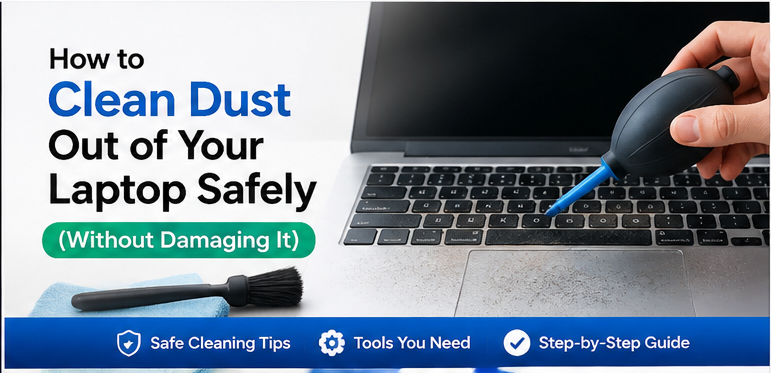
What you’ll need: A can of compressed air, a soft-bristle brush (an unused paintbrush works well), and a microfiber cloth.
Steps:
- Power off the laptop completely and unplug the charger
- Locate the exhaust vents (usually on the side or back of the laptop, sometimes underneath)
- Hold the compressed air can upright (tilting can release liquid propellant) and spray in short bursts into the vents from a few centimeters away
- Gently brush any visible dust away from vent openings
- Wipe down the exterior with a slightly damp microfiber cloth, avoiding any openings
Repeat this every 2-3 months for laptops used in normal home/office environments, or monthly if used in dusty environments or with pets around.
Level 2: Fan Cleaning Through Access Panels
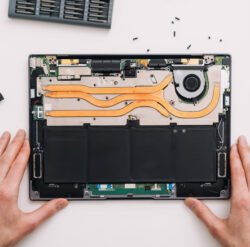
Many laptops have a removable bottom panel providing direct access to the fan and heatsink without needing to fully disassemble the device.
Steps:
- Power off, unplug, and remove the battery if it’s user-removable
- Remove the bottom panel screws (check your laptop model’s specific screw locations — some are hidden under rubber feet)
- Locate the fan (usually a small circular or rectangular component near the heatsink fins)
- Hold the fan blades still with a cotton swab or your finger while spraying compressed air into it — spinning the fan freely with compressed air can generate a small electrical charge that may damage the motor
- Clean the heatsink fins with a soft brush, working in the direction of the fins rather than against them
- Reassemble and test
If you’re already inside the laptop for this, it’s a good opportunity to check whether a RAM or storage upgrade makes sense at the same time, since you’re doing similar disassembly work either way.
Level 3: Full Disassembly and Thermal Paste Replacement
For laptops that are still running hot after fan cleaning, or laptops that are 3+ years old and have never had this done, the thermal paste between the processor and heatsink may have dried out and lost effectiveness. This is a more involved repair.
This step requires:
- Full laptop disassembly (varies significantly by model)
- Removing the heatsink assembly from the processor
- Cleaning off old thermal paste with isopropyl alcohol
- Applying a small, correctly-sized amount of new thermal paste
- Reassembling carefully, ensuring the heatsink is seated evenly
This level is more advanced and carries real risk if you’re not comfortable with laptop disassembly — a heatsink that isn’t seated evenly can actually make cooling worse than before, and processors are sensitive to static damage. If you’re not confident, this is worth having a professional handle, typically costing £40-80 as a standalone service.
Common Mistakes to Avoid
Spraying compressed air without holding the fan still. This is the most common cause of accidental fan damage during a routine cleaning.
Using a vacuum cleaner directly on internal components. Household vacuums can generate static electricity that damages sensitive electronics. Compressed air is the safer choice for anything beyond the exterior vents.
Cleaning while the laptop is powered on. Always power off completely and ideally remove the battery before opening any panel.
Over-applying thermal paste. More is not better — a pea-sized amount (or manufacturer-specified pattern) spread thinly is correct; excess paste can actually insulate rather than conduct heat away.
How Often Should You Clean a Laptop’s Internals?
External vent cleaning (Level 1): every 2-3 months. Fan cleaning through access panels (Level 2): every 12-18 months for typical use, more often in dusty environments. Thermal paste replacement (Level 3): every 3-4 years, or if temperatures remain high after a Level 2 clean.
Setting a Simple Maintenance Reminder
Because dust buildup happens gradually, it’s easy to forget until symptoms become noticeable. Setting a recurring calendar reminder every 2-3 months for a quick external vent cleaning takes less than five minutes and prevents the more involved fan and thermal paste work from becoming necessary as often. Pairing this with your regular device backup routine — since you’re already thinking about device maintenance at that point — is a simple way to keep both habits consistent without needing to remember two separate schedules.
Environmental Factors Worth Considering
Where you use and store your laptop day-to-day has a bigger effect on dust accumulation than most people realize. Using a laptop on a soft surface like a bed or couch blocks vents and draws in more fibers and debris than a hard desk surface, while pet owners typically need to clean twice as often as households without pets, given how much pet hair circulates through the air and settles into vents over time.
Frequently Asked Questions
Will cleaning dust out of my laptop void the warranty? External vent cleaning is safe and doesn’t affect warranty. Opening the laptop for fan or thermal paste work may void warranty on some models — check your manufacturer’s terms if the laptop is still under warranty before proceeding past Level 1.
Can dust buildup actually damage a laptop long-term? Yes — sustained overheating accelerates wear on the battery, and in severe, prolonged cases, can contribute to processor throttling becoming permanent or shortening component lifespan.
Is compressed air safe to use on a laptop? Yes, when used correctly: held upright, sprayed in short bursts, and with the fan blades held still by hand to prevent free-spinning damage.
How do I know if it’s dust or a failing fan? If cleaning doesn’t reduce noise or temperature at all, the fan bearing itself may be wearing out rather than being blocked by dust — in that case, fan replacement (not cleaning) is the fix needed.
For more maintenance guides like this one, browse our Tips & Maintenance category.
External reference: Electrostatic Discharge Association{:target=”_blank” rel=”nofollow noopener”} guidance on preventing static damage when working inside electronics.