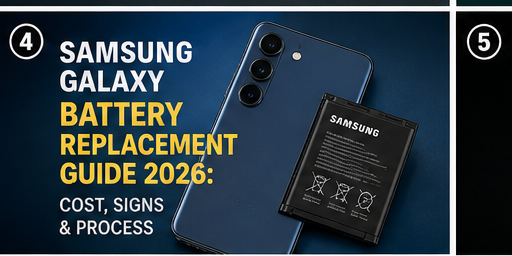
Samsung Galaxy phones are built to last years, but the battery inside them isn’t. Lithium-ion batteries degrade with every charge cycle, and by year two or three, most Galaxy owners start noticing the phone doesn’t last nearly as long as it used to. This guide covers how to recognize when it’s actually the battery (not something else), what replacement costs in 2026, and whether a DIY kit is worth the risk.
Signs Your Galaxy Battery Needs Replacing
Rapid, sudden drain. If your phone drops from 100% to 20% in a few hours of light use, and this is a new pattern rather than how the phone has always behaved, battery degradation is the most likely cause.
Random shutdowns above 0%. A phone that powers off at 30% or 40% battery, even though the indicator says there’s charge left, is a classic symptom of a battery that can no longer deliver consistent voltage.
Swelling. Check if the back panel looks slightly lifted or the phone doesn’t sit flat on a table anymore. A swollen battery is a safety hazard and needs immediate professional attention — stop using the phone until it’s addressed.
Slower performance under load. Some Galaxy models throttle performance when the battery can’t supply enough current, which can feel like the whole phone has slowed down even though it’s really a power delivery issue.
Checking Battery Health Directly
Newer Galaxy phones (One UI 5 and later) include a built-in battery health check under Settings > Battery and device care > Battery > Battery health, generally showing a percentage-based measure of maximum capacity compared to when the phone was new. Once this drops meaningfully below its original number, replacement is usually the right call. Samsung outlines this process on its official battery care support page{:target=”_blank” rel=”nofollow noopener”}.
Real-World Replacement Costs (2026, UK Pricing)
| Model | Independent Shop | Samsung Authorized |
|---|---|---|
| Galaxy S22 | £40–£60 | £75–£95 |
| Galaxy S23 | £45–£65 | £85–£105 |
| Galaxy S24 | £50–£75 | £95–£120 |
| Galaxy S25 | £55–£85 | £105–£135 |
| Galaxy Z Flip/Fold series | £90–£150 | £150–£220 |
Foldable models cost significantly more due to the dual-battery design and more complex disassembly required.
DIY vs Professional Battery Replacement
Unlike screen repairs, battery replacement on most Galaxy models involves peeling off strong adhesive strips and working carefully around the vibration motor, charging port ribbon, and in some models, the wireless charging coil. DIY kits are available for around £15–£30, but the process carries real risk: puncturing a lithium battery during removal can cause it to catch fire{:target=”_blank” rel=”nofollow noopener”}.
We recommend DIY only for older, non-foldable Galaxy models, and only if you’re using proper battery-safe pry tools rather than metal ones. For Z Flip and Z Fold devices, professional repair is strongly advised given the internal complexity.
If you’re deciding between a battery swap and buying new, our repair vs replace guide breaks down the cost math for phones at different ages.
What to Expect During a Professional Repair
Most independent shops complete a Galaxy battery replacement in 30–45 minutes. Ask specifically whether the shop uses OEM or OEM-equivalent batteries — cheaper aftermarket cells often have lower actual capacity than advertised, meaning you could pay for a “new” battery that barely outperforms your old one.
Extending Battery Life After Replacement
Once you’ve had a battery replaced, a few habits help it last longer:
- Avoid letting the phone sit at 0% for extended periods
- Use the “Protect Battery” or adaptive charging feature if your model has one
- Avoid extreme heat exposure (parked cars, direct sunlight for long periods)
For a full breakdown of these habits, see our guide on extending smartphone battery life.
Frequently Asked Questions
How long does a Samsung Galaxy battery typically last? Most Galaxy batteries retain 80% or more of original capacity for around 500 full charge cycles, roughly 2–3 years of typical daily use.
Can I replace a Galaxy battery myself safely? On older, non-foldable models it’s possible with the right tools, but the risk of puncturing the battery is real. Foldables should always go to a professional.
Does Samsung’s warranty cover battery replacement? Only if the battery health drops below Samsung’s defined threshold within the warranty period, which is uncommon for phones under 2 years old.
Will a battery replacement fix random shutdowns for sure? In most cases, yes — but if shutdowns persist after replacement, the issue may be a software fault or a damaged power management chip, which requires further diagnosis.
Browse more device-specific guides in our Phone Repair Guides category for step-by-step tutorials across all major brands.