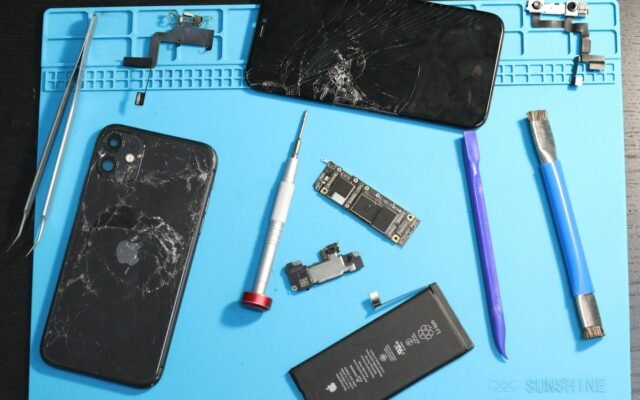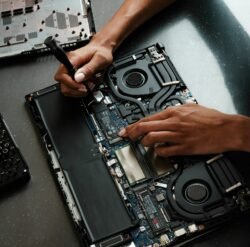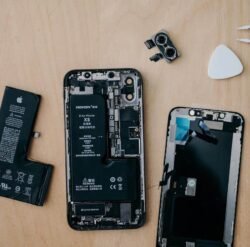
A cracked phone screen is one of the most common accidents, and the first question is usually whether to fix it or buy a new phone. In many cases, a screen repair costs far less than a replacement and gives your phone years of extra life. In others, putting money into an old handset makes little sense. Getting a quote from a trusted professional phone screen repair service is the quickest way to know where your phone stands.
- 100% free
- Call direct
- Voice search
- Urdu & English
This guide walks through the costs, the checks to make before deciding, the difference between original and third-party parts, and what to do if you choose to replace the phone instead.
First, check how bad the damage is
- Glass only: the screen is cracked but the display works normally and touch responds everywhere. Repair is usually straightforward.
- Display damage: lines, black patches, flickering or bleeding colours mean the display panel underneath is damaged, and the whole screen assembly needs replacing.
- Touch problems: parts of the screen do not respond or the phone “touches itself”. This also needs a full screen replacement.
- Frame or back damage: a bent frame or cracked back glass can raise the cost and may point towards replacement.
Back up your phone as soon as possible. Cracks can spread, and a failing display can make it hard to unlock the phone later.
Repair or replace: the key questions
How old is the phone?
Phones still receiving security and software updates are usually worth repairing. If your model is close to the end of its update support, a new phone may be the better long-term choice.
What does the repair cost compared with the phone’s value?
A simple rule many repairers use: if the repair costs less than about half of what a similar used phone would cost, repairing is usually good value.

Is the battery healthy?
If the battery is also worn, combining a screen and battery replacement in one visit can make an older phone feel almost new for a fraction of the price of a replacement.
Is it under warranty or insured?
Check your manufacturer warranty, extended cover, phone insurance or bank account benefits. Accidental damage is often excluded from standard warranties but included in insurance or premium cover plans, sometimes with an excess to pay.
Typical screen repair options
| Option | Pros | Cons |
|---|---|---|
| Manufacturer or authorised service | Genuine parts, keeps features such as True Tone working, warranty on repair | Usually the most expensive, may need booking or posting |
| Independent repair shop | Faster, often cheaper, same-day service common | Quality varies; ask about parts and warranty |
| Mail-in repair service | Convenient, competitive pricing | You are without the phone for a few days |
| DIY repair kit | Cheapest on paper | Risk of damaging other parts, voids some warranties, needs tools and patience |
A reputable independent phone repair shop with a repair warranty should be able to tell you exactly which type of screen it will fit and how long the repair is guaranteed.
Original vs third-party screens
Original or manufacturer-grade screens match the colour, brightness and touch response the phone was designed for, and some features only work fully with genuine parts. High-quality aftermarket screens can be a good budget option for older phones, but cheaper ones may have weaker brightness, slower touch or higher battery drain. Always ask which grade of part will be used and get the answer in writing.
Questions to ask a repair shop
- Which type of screen will you fit, original, refurbished original or aftermarket?
- How long does the repair take, and is it done on site?
- What warranty do you give on the part and the work?
- Will Face ID, fingerprint, True Tone or water resistance be affected?
- Is the price fixed, or could it change after you open the phone?

Your consumer rights
If a new phone develops a fault that was not caused by an accident, you may have rights to a repair, replacement or refund from the retailer. Citizens Advice guidance on faulty purchases explains what you can ask for and when. For accidental damage, those rights usually do not apply, so warranty extras and insurance matter more.
When replacing the phone makes more sense
- The phone no longer receives security updates.
- The repair would cost more than half the price of a similar used model.
- There is additional damage, such as water damage, a bent frame or a failing logic board.
- You already planned to upgrade within a few months.
If you do replace it, trade in or sell the old phone; even damaged handsets have value for parts. Before buying, check how easy the new model is to repair. Our guide to checking repairability before you buy explains what to look for.
Getting your phone ready for repair
- Back up everything to the cloud or a computer, including photos, chats and two-factor authentication apps.
- Note your passcode or be ready to share it if the repairer needs to test Face ID, the camera or touch after the repair. Ask how they protect your privacy.
- Turn off Find My or device protection only if the repairer asks for it, and turn it back on as soon as you get the phone back.
- Remove the SIM and memory card if you are sending the phone away.
- Take photos of the damage before handing it over, in case of any dispute later.
After the repair: what to test
Before you leave the shop, test the whole screen for touch response by dragging an app icon to every corner. Check brightness, colours and auto-brightness, try Face ID or the fingerprint sensor, make a quick call to test the earpiece and proximity sensor, and take a photo with both cameras. Problems are much easier to sort out on the spot than days later.
How much should a screen repair cost?
Prices depend on the model, the type of display and the grade of part. Flagship phones with OLED screens usually cost more to repair than budget models with LCD panels, and folding phones cost the most. Always compare like for like: an original part with a long warranty is worth more than the cheapest quote with no guarantee.
Protecting your next screen
- Use a tempered glass screen protector; it often cracks instead of the screen.
- Choose a case with raised edges around the display.
- Avoid keeping the phone in the same pocket as keys or coins.
- Consider insurance or accidental damage cover if you are prone to drops.
Frequently asked questions
Can I keep using a phone with a cracked screen?
For a short time, if the display and touch work. Cracks can spread, let in dust and moisture, and cut fingers, so repair it soon.
How long does a screen repair take?
Many independent shops repair popular models in under an hour. Mail-in and manufacturer services can take a few days.
Will a screen repair delete my data?
Screen repairs normally do not affect data, but always back up first in case something else is found during the repair.
Does a third-party repair void my warranty?
It can affect cover for the parts involved. Check your warranty terms, and use an authorised service if your phone is still under warranty.
The bottom line
A cracked phone screen is usually worth repairing if the phone is still supported, the repair costs well under half its value and the battery is healthy. Replace it if the phone is old, heavily damaged or due an upgrade anyway. Either way, back up first and compare at least two quotes. To check prices for your model, start with this trusted phone screen repair service and use the questions above before you book.