Your laptop charges inconsistently, and your first instinct is to blame the battery. Genuinely often, though, the actual culprit is the charger or cable itself — a considerably cheaper, easier fix than a battery replacement, if you can correctly identify which component is actually failing.
Why It’s Genuinely Easy to Misdiagnose This
Charging problems and battery degradation produce genuinely overlapping symptoms — both can cause a laptop to lose charge unexpectedly or fail to reach 100% — making it easy to assume battery failure when the charger itself is actually responsible.
Signs That Genuinely Point to the Charger, Not the Battery
- Charging works only when the cable is held at a specific angle or position
- The charger brick itself feels unusually hot even during normal use
- Charging stops and starts intermittently while the cable remains connected and undisturbed
- A different, known-working charger for the same laptop model charges normally
Signs That Genuinely Point to the Battery Instead
- The laptop charges normally and reaches 100%, but drains unusually fast on battery power alone
- Battery health reporting (built into both Windows and macOS) shows genuinely reduced capacity relative to original specification
- The battery shows physical swelling, a genuine safety concern requiring immediate attention regardless of other symptoms
How to Actually Test Which Component Is Responsible
The single most reliable diagnostic step is testing with a different, genuinely known-working charger and cable for your exact laptop model — if charging behavior improves immediately, the original charger or cable was the actual problem all along.
Why Cable Damage Specifically Is Genuinely Common
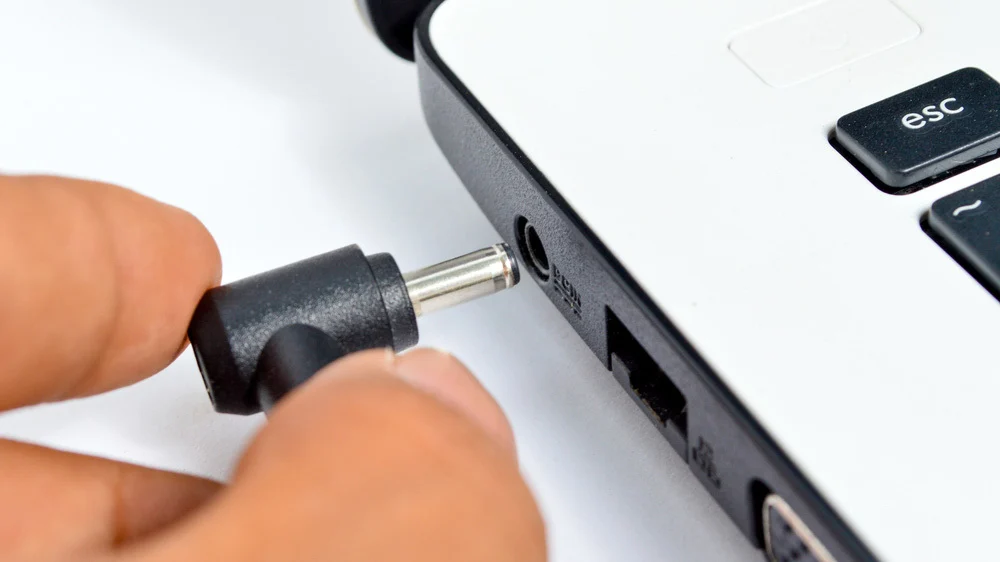
The cable itself, particularly near the connector ends where it bends repeatedly during normal use, genuinely wears out faster than the charger brick or the laptop’s own charging circuitry — visible fraying or a cable that only works at specific angles points directly at this.
Why a Failing Charger Can Genuinely Be a Safety Concern
A charger that runs unusually hot, makes unusual sounds, or shows any visible damage to its casing represents a genuine fire and safety risk beyond simple inconvenience — replacing a suspect charger promptly matters for safety, not just charging reliability.
How to Actually Choose a Genuine Replacement Charger
- Match the exact voltage and wattage specifications for your specific laptop model, not just a visually similar connector
- Prioritize genuine manufacturer replacements or well-reviewed third-party chargers specifically designed for your model
- Avoid significantly cheaper, unbranded chargers, where genuine safety and component quality control is considerably less reliable
Why USB-C Charging Adds a Genuine Extra Troubleshooting Layer
For laptops using USB-C charging specifically, the port itself, the cable, and the power adapter are all genuinely separate potential failure points, unlike older proprietary charger designs — testing each component individually, where possible, isolates the actual problem more precisely.
How This Connects to Broader Battery Health Understanding
Correctly ruling out charger issues before assuming battery failure prevents an unnecessary, more expensive repair, a distinction covered in more depth in our comprehensive guide to knowing how long a laptop battery should genuinely last before replacing, where checking actual battery health data alongside charger testing gives a genuinely complete diagnostic picture.
What to Actually Do Before Assuming You Need a New Battery
Testing with a different charger and cable, if you have access to one, takes just a few minutes and rules out the genuinely more common and cheaper explanation before spending money on an unnecessary battery replacement. This connects to [CLIENT LINK PLACEHOLDER] our broader device troubleshooting coverage, where this kind of correct diagnosis consistently saves both money and unnecessary repair time.
Frequently Asked Questions
Can a failing charger genuinely damage my laptop’s battery over time?
Yes, in some cases — a charger delivering inconsistent or incorrect power can genuinely stress battery health over extended use, making prompt replacement worthwhile beyond just convenience.
Is it safe to use a third-party charger instead of the original manufacturer one?
Generally yes, provided it’s specifically rated for your exact laptop model’s voltage and wattage requirements from a genuinely reputable manufacturer.
The Bottom Line
Charging problems point to the charger or cable considerably more often than most people initially assume — testing with a different, known-working charger before assuming battery failure genuinely saves unnecessary repair cost and correctly identifies the actual problem.