Your phone dies by 3pm even though you swear you barely used it. You’ve started carrying a charger everywhere, treating it as normal. It isn’t — and it’s usually one specific, fixable problem: a battery that’s quietly degraded far more than most people realize is happening until it’s genuinely inconvenient.
Why Batteries Degrade Even When You Take Care of Your Phone
Lithium-ion batteries, the type in virtually every modern smartphone, genuinely degrade with each full charge cycle regardless of how carefully you use the device — this isn’t a defect, it’s a fundamental chemical characteristic of the technology itself. A battery rated for 500 full charge cycles will typically retain around 80% of its original capacity by that point, meaning gradual decline is expected, not a sign something’s genuinely wrong with your specific phone.
The Genuine Warning Signs Worth Actually Watching For
Beyond the obvious “dies faster than it used to” complaint, a few more specific signs point directly to battery health rather than some other issue:
- Your phone shuts down unexpectedly at 20% or higher battery, rather than genuinely reaching 0%
- Performance noticeably slows down, particularly when the battery is below 50%, as the phone’s software throttles processing power to compensate for a battery that can’t reliably deliver peak current anymore
- The phone feels warm even during light, everyday use, not just heavy gaming or charging
- Battery percentage jumps unexpectedly — dropping from 30% to 15% within a minute, for instance, rather than declining steadily
How to Actually Check Your Battery Health Directly
Both major mobile operating systems now include a built-in way to check actual battery health without needing a third-party app or a trip to a repair shop. On iPhone, this lives under Settings → Battery → Battery Health & Charging, showing a specific “Maximum Capacity” percentage relative to when the battery was new. Android’s exact path varies by manufacturer, but most current devices show similar battery health data somewhere within Settings → Battery, sometimes requiring a manufacturer-specific app for more detailed diagnostics.
What the Actual Numbers Mean
A battery showing 90% or higher maximum capacity is generally still performing well for everyday use. Between 80-89% is where most people genuinely start noticing real-world impact — shorter days, more frequent charging. Below 80% is widely considered the threshold where a genuine replacement starts making practical sense, since the battery is measurably no longer performing close to its original specification.
Why Replacing the Battery Is Usually Smarter Than Replacing the Phone
A genuinely common mistake is assuming a phone with poor battery life needs full replacement, when the actual processor, camera, and screen may all still be perfectly capable — the battery is simply the one specific component that’s degraded. A professional battery replacement typically costs a genuine fraction of a new phone’s price, while restoring day-to-day performance and battery life close to original condition.
What a Professional Battery Replacement Actually Involves
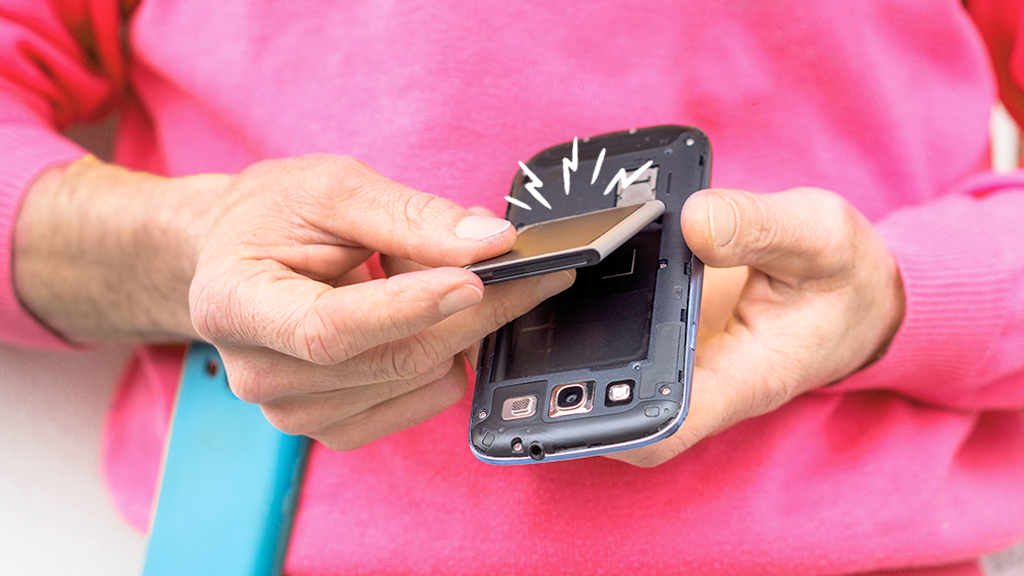
A proper battery replacement, done by a qualified technician or repair shop, involves carefully opening the device (often requiring specific tools and adhesive removal, since many modern phones seal the battery in more tightly than older, user-replaceable designs), disconnecting and removing the old battery safely, and installing a genuine or high-quality compatible replacement before resealing the device.
Why DIY Battery Replacement Carries Genuine Risk Worth Understanding
While battery replacement kits are widely available for many popular phone models, DIY replacement carries genuine risks beyond simply voiding any remaining warranty — lithium-ion batteries can be genuinely dangerous if punctured or damaged during removal, and modern phones’ tightly sealed designs make careful, damage-free disassembly considerably harder than it looks in a quick online tutorial video.
How to Actually Decide Between DIY and Professional Replacement
A few genuinely practical factors should guide this decision:
- Your specific phone model’s repairability — some phones are genuinely more DIY-friendly than others, with more accessible battery placement and simpler removal processes
- Whether you have access to proper tools, including anti-static equipment and the specific screwdriver bits many phones now require
- How comfortable you genuinely are working carefully with a battery that requires careful handling, not casual disassembly
- Whether the phone is still under any manufacturer warranty that a DIY repair would void
Practical Habits That Genuinely Slow Battery Degradation
While all lithium-ion batteries degrade eventually, a few genuinely evidence-based habits meaningfully slow the process:
- Avoiding letting your phone regularly sit at 0% or 100% for extended periods, since both extremes accelerate genuine chemical degradation
- Keeping your phone out of genuinely extreme heat, particularly avoiding leaving it in direct sun or a hot car, since heat is one of the most significant accelerators of battery wear
- Using the manufacturer’s own optimized charging features when available, which learn your typical usage pattern and adjust charging speed to reduce stress on the battery overnight
When It’s Genuinely Time to Consider a Full Phone Replacement Instead
Battery replacement makes the most practical sense when the rest of the phone still performs well — but if you’re also dealing with a cracked screen, outdated software support, or genuinely insufficient storage, weighing the full picture matters, a consideration covered in more depth in our comprehensive guide to deciding between repairing or replacing your laptop or phone, where battery health is just one factor among several worth weighing together rather than in isolation.
What to Actually Do This Week If Your Battery Life Feels Off
Checking your actual battery health percentage through your phone’s built-in settings takes under a minute and gives you a genuine, specific number to base a decision on, rather than relying purely on subjective impressions of how the phone “feels” lately. This connects to [CLIENT LINK PLACEHOLDER] our broader device maintenance coverage, where checking actual diagnostic data consistently produces better repair decisions than guessing based on general frustration alone.
Frequently Asked Questions
Is it safe to keep using a phone with degraded battery health?
Generally yes for moderate degradation, though a battery showing physical swelling, excessive heat, or very erratic behavior should be addressed promptly, since these can indicate a genuine safety concern rather than simple gradual wear.
How long does a professional battery replacement typically take?
Most phone battery replacements take under an hour at a reputable repair shop, though this varies by specific model and whether parts are readily in stock.
The Bottom Line
A phone that suddenly seems to die too fast usually isn’t a mystery — it’s a battery that’s degraded past a genuinely identifiable threshold, checkable in under a minute through your phone’s own settings, and fixable through a replacement that typically costs considerably less than a new device while restoring the rest of a perfectly capable phone to genuinely reliable daily use.